
Display messages to your users with django-sticky-messages
I launched my Django app, GlucoseTracker, the beginning of this year and I’ve already added a few new things to it. To notify users about these new features, I used this nice, simple app called django-sticky-messages. It was written by a friend of mine for his Django app, Pool Manager.
The app lets you set the message to display to the users in the Django admin. You can set a start and end time when the message will be displayed. If you use Twitter Bootstrap 3, you can have a dismissible message similar to the one shown below using the CSS classes alert alert-dismissable.
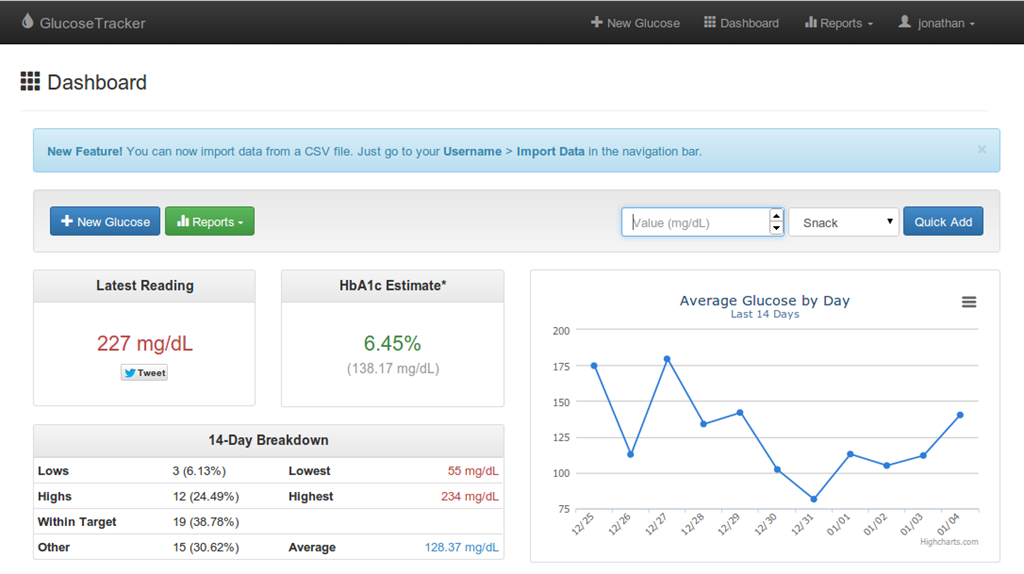
The code in my dashboard template looks something like this:
{% if sticky_message %}
<div class="alert alert-info alert-dismissable">
<button type="button" class="close" data-dismiss="alert"
aria-hidden="true">×</button>
{{ sticky_message.message|safe }}
</div>
{% endif %}You can change the alert-info class to change the color of the message. For example, alert-success will display a message with a green font and background.
This is also great for notifying your users if you need to take down the server for a scheduled maintenance.
Tags: howto, tech, software development, python, django